How to File Structural Steel Mill Test Reports Safely (Guide)
Scaling a fabrication shop is a series of calculated risks and layout adjustments. I remember the day I moved from a simple manual setup to my first CNC plasma table. The excitement was high, but the floor space disappeared instantly. Suddenly, the way I handled everything—from 20-foot sticks of channel to the small stacks of paper that came with them—had to change. When you transition to a semi-professional operation, you realize that shop efficiency is often killed by the small things you ignore. One of those things is how you manage the physical records of your raw materials.
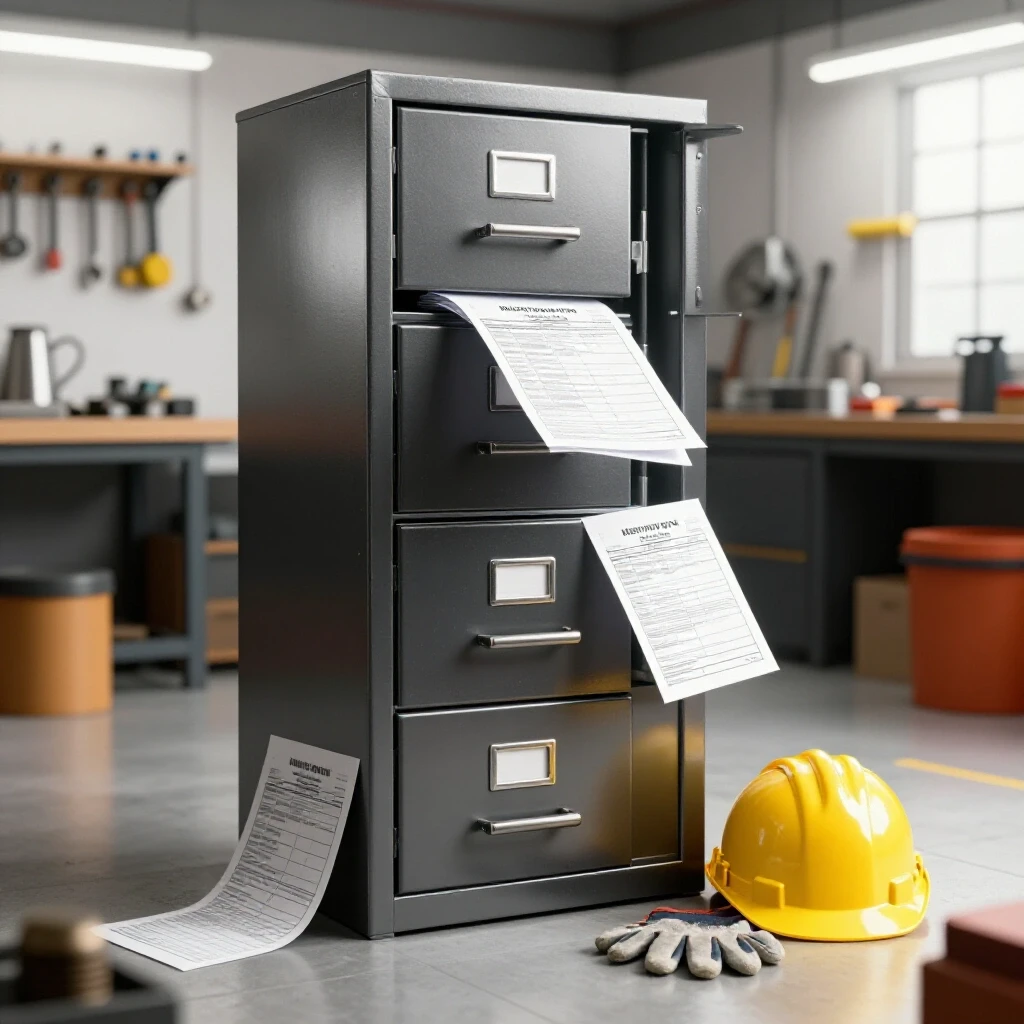
Managing your material certifications and records is not just a clerical task; it is a vital part of your workflow optimization. If you have ever spent forty minutes digging through a greasy pile of papers to find the heat number for a specific beam, you know that a lack of organization is a production bottleneck. My goal is to show you how to integrate a physical filing system into your advanced workshop layout without sacrificing floor space or safety. We will look at building shop-hardened storage, ensuring document survival in a high-dust environment, and keeping your workspace clear of physical hazards.
Designing the Documentation Zone in a High-Output Layout
A documentation zone is a dedicated, protected area within your shop layout specifically designed for the intake, labeling, and storage of material records.
In a professional fabrication environment, you cannot afford to have paperwork floating around the CNC plasma table setup. When I redesigned my shop to accommodate a 5×10 water table, I realized the “paper trail” followed the steel. If the steel comes in through the main bay door, that is where the documentation should be processed. Placing your filing system near the material intake prevents back-and-forth foot traffic, which is a major drain on throughput.
I use a simple rule: the paperwork never travels further into the shop than the material does. By creating a “Documentation Cell” right at the intake point, you ensure that the records are filed before the steel is even racked. This prevents the common mistake of leaving mill sheets on a workbench where they can be soaked in cutting fluid or scorched by sparks.
| Layout Feature | Hobby Setup (Random) | Advanced Setup (Linear) | Impact on Efficiency |
|---|---|---|---|
| Intake Point | Front door | Dedicated material bay | Reduces forklift travel by 40% |
| Filing Location | Kitchen table/Office | Intake-adjacent cabinet | Saves 15 mins per delivery |
| Labeling Method | Sharpie (wears off) | Metal stamps/Paint pens | Permanent traceability |
| Safety Buffer | None | 3-foot clearance zone | Prevents trip and fire hazards |
Building a Shop-Hardened Physical Filing System
A shop-hardened filing system is a DIY storage solution built from heavy-gauge materials designed to withstand the vibrations, dust, and impacts of a working fabrication shop.
Standard office cabinets are too flimsy for a real shop. I tried using a cheap two-drawer cabinet once, and within a month, the sliders were jammed with metal grinding dust. Instead, I recommend fabricating your own “Data Locker.” Use 14-gauge cold-rolled steel for the carcass. This provides the weight needed to stay put and the durability to handle an accidental bump from a material cart.
When building your storage, consider the height. I mounted mine at 42 inches. This serves as a standing desk for reviewing sheets as they come in. Underneath, I have enough clearance to store small offcuts. This dual-purpose use of square footage is essential when you are scaling a fabrication shop and every inch of floor space carries a monthly cost.
- Use heavy-duty full-extension drawer slides rated for at least 100 lbs.
- Seal the seams with silicone to prevent fine dust from entering.
- Paint the unit a high-visibility color to prevent it from becoming a “blind spot” for mobile equipment.
- Add a sloped top to the locker so people aren’t tempted to pile scrap or tools on top of it.
Physical Traceability and Labeling Techniques
Physical traceability is the process of using manual tools to create a permanent link between a specific piece of steel and its corresponding mill report.
Once you have the records filed, they are useless unless you can link them to the steel on your rack. In my shop, I moved away from markers because they fade under UV light or get wiped away by coolant. I switched to a system of low-stress metal stamps. For every new delivery, I stamp the heat number directly into the end of the stock. It takes thirty seconds but saves hours of guesswork later.
If you are working with thinner materials where stamping isn’t ideal, I use high-solids paint pens in a color-coding system. For example, all A36 steel gets a blue stripe on the end, while Grade 50 gets red. This visual shorthand, combined with the stamped number, creates a robust system that even a new hire can follow. This is a core part of workflow optimization tips for those moving into more complex projects.
- Clean the steel surface with a wire brush or flap disc before labeling.
- Apply the heat number at least 2 inches from the edge to avoid it being cut off immediately.
- Cross-reference the stamped number on the physical report using a bold highlighter.
- Store the reports in chronological order within their respective material categories.
Environmental Protection for Critical Shop Documents
Environmental protection involves using physical barriers and shop systems to shield paper records from heat, moisture, and airborne particulates.
In an advanced shop, your environment is hostile to paper. Between the humidity from a CNC plasma water table and the fine dust from a 3-phase power-driven grinder, paper can degrade quickly. I learned this when a stack of records became unreadable after being stored near my welding bench. The “smoke” from welding is actually fine metallic particles that settle and “rust” onto the paper.
To combat this, I use heavy-duty plastic sleeves for every report. These sleeves are then placed into a fire-resistant box inside the steel locker we discussed. Furthermore, your dust collection duct design plays a role here. If your shop has poor air filtration, dust will find its way into every drawer. I maintain a 1,500 CFM ambient air cleaner in my main bay, which significantly reduces the “gray film” that used to cover everything in my office area.
- Keep the filing area at least 15 feet away from any open-arc welding or grinding.
- Use moisture-absorbing silica packets inside your filing drawers.
- Ensure your 3-phase power converter is not located directly next to your filing station, as the cooling fans can blow dust into the cabinet.
- Check the integrity of your document sleeves every six months for signs of heat warping.
Safety and Ergonomics in Document Management
Safety and ergonomics focus on the physical placement and handling of records to prevent workplace injuries and maintain a clear path for material movement.
One of the biggest risks in a scaling fabrication shop is the “clutter creep.” A desk covered in papers near a CNC gantry is a fire hazard and a snag risk. I once saw a fabricator trip over a stack of binders while trying to guide a sheet onto a table. It was a wake-up call. Your filing system must be integrated into your shop’s “3-foot minimum access zones.”
This means your filing area should never obstruct the travel path of your forklift or material carts. I keep my documentation station tucked into a “dead zone” created by the structural pillars of my building. This space was too small for a machine but perfect for a standing file desk. It keeps the operator safe and the floor clear for high-volume material flow.
| Safety Factor | Risk Level | Mitigation Strategy |
|---|---|---|
| Paper Fire Hazard | Moderate | Store in steel cabinets away from sparks. |
| Trip Hazards | High | Maintain clear 36-inch walkways around files. |
| Sharp Edge Cuts | Low | Use gloves when handling steel to get heat numbers. |
| Ergonomic Strain | Low | Use a 42-inch standing height for document review. |
Integrating Record Keeping into the CNC Workflow
CNC workflow integration is the systematic habit of verifying and filing material data as a mandatory step in the CAD/CAM and cutting process.
When you are running a CNC plasma table setup, the software side of things takes up a lot of mental energy. It is easy to forget the physical side. I have integrated a “Check-In” step in my workflow. Before I load a sheet onto the table, the heat number is verified against the physical file. This ensures that if a customer asks for the specs of the steel used in their bracket six months from now, I can find it in seconds.
This level of discipline is what separates a hobbyist from a professional micro-manufacturer. It isn’t about being “fancy”; it’s about being efficient. If you have to stop the machine to go find a piece of paper, you are losing money. By having the files organized and labeled at the intake, the CNC operator (which might just be you) stays focused on the machine and the cut quality.
- Print a “Cut Sheet” for every CNC job that includes a space for the material heat number.
- Keep a dedicated “Work in Progress” folder on the side of the filing cabinet.
- Once the job is done, move the cut sheet and the original mill report to the “Completed” archive.
- Never leave original reports on the CNC controller or the water table slats.
Managing the Learning Curve of Shop Systems
The learning curve of shop systems refers to the time and effort required to train yourself and your team to follow new organizational habits consistently.
Transitioning to these systems can feel like a chore. When I first implemented this, I felt like I was spending more time with a filing cabinet than with my welder. But the data doesn’t lie. After three months, my “search time” for materials dropped by nearly 90%. The key is to make the system so simple that it is harder to ignore than it is to follow.
Don’t try to reorganize twenty years of old scrap all at once. Start with the next delivery of steel that comes through your door. Buy the stamps, build the locker, and start the habit there. As you scale, you will find that these systems provide a sense of control that reduces the “strategic stress” of running a busy shop. It allows you to focus on the 3-phase power delivery issues or the CNC gantry leveling, rather than hunting for a lost piece of paper.
- Set a 10-minute “Shop Reset” at the end of every day to file any loose papers.
- Involve anyone else working in the shop in the design of the filing system.
- Label every drawer clearly with large, bold text.
- Keep a “Master Log” on the front of the cabinet to see what is inside at a glance.
Practical Benchmarks for Shop Organization
Benchmarks are measurable standards used to evaluate the effectiveness and safety of your workshop’s material tracking and filing systems.
How do you know if your filing system is working? I use a few simple metrics. First, can I find any report in under two minutes? Second, is the paper clean and free of shop grime? Third, is the filing area encroaching on my machine spacing boundaries? If you can answer yes to all three, you have a professional-grade setup.
Another benchmark is the “New Guy Test.” If you brought in a helper today, could they understand where the material records are and how they link to the steel on the rack without a two-hour lecture? If the system is intuitive, it will survive the chaos of a busy production week. This is the essence of scaling a fabrication shop successfully.
- Filing Retrieval Time: Goal < 120 seconds.
- Document Condition: 100% readable, no oil or burn marks.
- Space Utilization: Filing system occupies < 2% of total shop floor.
- Compliance: 100% of structural steel on the rack has a matching physical record.
Scaling Your System for Future Growth
Scaling your system involves designing your current filing and organization methods to handle increasing volumes of material and documentation without needing a total redesign.
As your shop grows, you might move from five sheets of plate a week to fifty. Your DIY locker needs to be modular. I built mine so that I could bolt additional units to the side as needed. This prevents you from having to rethink your entire advanced workshop layout every time you buy a new machine or take on a larger contract.
Think about your air quality management too. As you add more machines, your dust load increases. If you find your papers are getting dusty, it is a sign that your dust collection duct design needs an upgrade. Use the cleanliness of your filing system as a “canary in the coal mine” for your shop’s overall air quality. It is a practical, low-tech way to monitor a high-tech environment.
- Leave 20% empty space in your drawers for future growth.
- Use standardized folder sizes (Letter or Legal) to keep things uniform.
- If you move to a larger shop, the documentation station should be the first thing moved and set up.
- Periodically purge outdated records (older than 5-7 years) to a long-term storage crate in a dry area.
Conclusion
Building a professional-grade fabrication shop is about more than just high-end CNC machinery and 3-phase power. It is about creating a system where every part of the process—even the paperwork—is handled with precision and safety. By integrating a dedicated documentation cell into your layout, you protect your records from the harsh shop environment and eliminate the bottlenecks that slow down production.
Start today by identifying a spot near your material intake for a permanent filing station. Build it heavy, keep it organized, and make labeling your steel a non-negotiable part of your workflow. These small changes in your shop’s “physics” will pay dividends in the form of a smoother, safer, and more profitable operation.
Frequently Asked Questions
Why shouldn’t I just keep my mill reports in the office?
Keeping records in a distant office creates unnecessary foot traffic. In an advanced shop layout, you want the information where the work happens. Having them at the intake point ensures they are filed immediately, reducing the risk of them being lost or forgotten during the unloading process.
What is the best way to protect paper from shop humidity?
The most effective DIY method is using heavy-duty PVC or polyethylene sheet protectors. These shield the paper from moisture and oil. For extra protection, keep the folders inside a gasket-sealed steel cabinet and use desiccant packs to manage internal humidity.
How do I label steel that is oily or rusty?
For oily steel, wipe a small area with a degreaser or brake cleaner before using a high-solids paint pen. For rusty structural steel, use a wire brush or a small cordless grinder with a flap disc to create a clean “bright” spot, then use metal stamps for a permanent, unerasable mark.
Will a filing cabinet interfere with my CNC electronics?
A standard steel filing cabinet is passive and won’t cause electrical interference. However, do not place it directly against your CNC controller or 3-phase power converter. Keep a 3-foot clearance to allow for proper airflow and to ensure you have room to access the machine’s internal components for maintenance.
How do I handle reports for small offcuts?
This is a common bottleneck. When you cut a part, use a paint pen to transfer the heat number to the remaining offcut immediately. In your filing system, you can keep a “Remnant Log” that cross-references these smaller pieces to the original mill report.
Is it safe to store paper near a CNC plasma table?
Paper is flammable, so it should never be stored on or directly under the plasma table. Keep your filing station at least 10 to 15 feet away from the cutting area and ensure it is enclosed in a steel cabinet. This protects the documents from both fire risks and the fine “plasma dust” that can be abrasive.
What height should my shop desk be for filing?
A height of 42 inches is ideal for most people. This “standing desk” height allows you to quickly review and stamp papers without bending over, which is better for your back during a long day of material handling. It also allows you to store items like floor jacks or material rollers underneath.
How often should I clean the filing area?
In a high-output shop, do a quick wipe-down once a week. Because of the metallic dust generated by grinders and saws, dust can accumulate quickly. A weekly cleaning prevents this dust from migrating into the drawers and damaging the physical records.
Can I use magnets to hold reports on the wall?
While convenient, magnets can fail, and papers can fall into machinery or trash bins. It is much safer to use a dedicated drawer system. If you must have a report visible while working, use a magnetic acrylic sleeve that fully encloses the paper to protect it from sparks and grime.
What do I do if a mill report becomes unreadable?
If a report is damaged by oil or fire, contact your steel supplier immediately. Most suppliers keep digital backups and can send you a replacement. To prevent this, always ensure your physical filing cabinet is located away from “high-risk” zones like the welding bench or the water table.
(This article was written by one of our staff writers, Edward Sinclair. Visit our Meet the Team page to learn more about the author and their expertise.)